Inboxes, Binders, or Scans: Comparing Three Ways to Tame Household Paper
Paper shows up in every home: bills, warranties, school notes, manuals, receipts, and the occasional postcard. How you keep and access those papers affects how calm your daily routines feel. Three common approaches—an always-visible physical inbox, a set of organized binders, and a digital scanning workflow—offer different materials and methods. Below is a practical comparison of each approach, followed by guidance to help you choose or combine them.
1. The Physical Inbox (tray or basket)
Method: A single tray, basket, or wall pocket collects all incoming paper. The routine is short: drop new items in, then process the inbox at a regular interval (daily, every few days, or weekly).
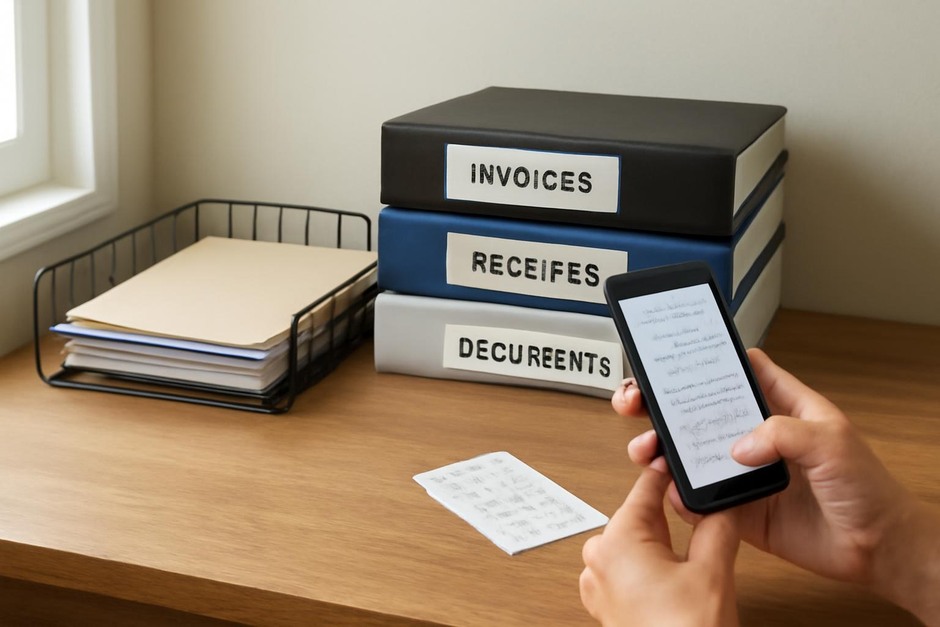
Materials: metal or plastic tray, magazine file, or a small basket. Optionally, a label or divider for subcategories (urgent, to file, to shred).
Trade-offs:
- Pros: Low cost and friction; visible reminder of tasks; quick to implement.
- Cons: Can grow into an unruly pile if not processed; limited long-term storage structure; depends heavily on consistent processing habits.
- Best for: Households that want minimal setup and a simple capture-and-process rhythm.
2. The Binder System (categorical physical storage)
Method: Sort important papers into labeled binders or folders (warranties, medical, finances, school). Keep the binders on a shelf or in a cabinet for easy retrieval.
Materials: three-ring binders or lever-arch files, sheet protectors, tabbed dividers, labels, and a small hole punch (if needed).
Trade-offs:
- Pros: Clear physical structure; easy to flip to a category; good for documents you need access to in paper form (manuals, certificates).
- Cons: Requires space on a shelf; ongoing maintenance to keep categories current; not ideal for high volumes of receipts or single-use papers.
- Best for: People who prefer tactile systems and need a reliable place for reference documents.
3. The Scanning Workflow (digital-first)
Method: Scan or photograph important papers as they arrive, save them into a consistent folder structure or app, and discard or shred the originals when appropriate.
Materials: smartphone with a scanning app or a flatbed/automatic document scanner; a simple naming convention and cloud or local backup.
Trade-offs:
- Pros: Takes physical space out of the home; searchable and shareable files; easy to back up and access remotely.
- Cons: Requires an initial setup and small time investment to learn a routine; long-term digital organization still needs rules; considerations around security and backups.
- Best for: People comfortable with digital tools, limited physical storage, or who need frequent remote access to documents.
Comparing common factors
- Ease of capture: Inbox wins for lowest friction; scanning is next if you already use a smartphone; binders require sorting immediately.
- Retrievability: Binders are great for predictable categories; scans are best for full-text searching; inboxes depend on processing habits.
- Physical space: Scanning reduces paper footprint; binders consume shelf space; inboxes take minimal surface area but can spill over.
- Time investment: Inbox needs frequent short processing time; binders need periodic reorganization; scanning needs an upfront setup and consistent upload routine.
- Security and longevity: Binders and inboxes are subject to physical damage; scans require backups and secure storage choices.
How to choose (and try it)
Answer these quick questions to narrow options:
- How much paper arrives each week? If minimal, an inbox plus occasional filing may be enough. If high volume, scanning or systematic binders will help.
- Do you need regular access from outside home? If yes, prioritize scanning.
- Do you prefer physical touchpoints? If yes, binders or a visible inbox will feel more satisfying.
- How much time will you realistically commit to maintenance? Match the method to available time: inbox for daily 5-minute checks, binders for scheduled half-hour updates, scanning for batch sessions.
Try a short experiment: pick one approach for four weeks and track two things—time spent processing each week and how often you find a needed document quickly. Use those outcomes to adjust. Many households land on a hybrid: a small inbox for immediate capture, a binder for irreplaceable paper, and scanning for bills and receipts to free up shelf space.
Simple transition tips
- Start with a single capture point (a tray or a “Scan” envelope) so incoming papers don’t scatter.
- Set a recurring reminder for processing: 5 minutes daily for an inbox, 30–60 minutes weekly for scanning batches, or a monthly binder review.
- Label clearly and keep supplies nearby (punch, sheet protectors, shredder, charger for your phone).
There’s no perfect system—only the one that fits how you live, the space you have, and the moments you’ll actually maintain. Compare the materials and methods above, run a short experiment, and adapt from there. The goal is less paper friction and a calmer, more usable home routine.